Last.fm Scrobbler for Mac
Scrobble from Apple Music, Spotify Desktop, iPod Classic, and Rockbox devices on macOS.
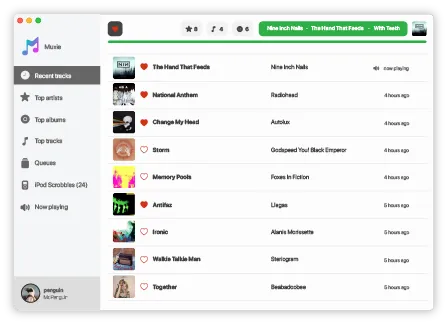
Muxie is a native macOS Last.fm scrobbler that tracks your listening history across Apple Music, Spotify, and portable devices.
Muxie is a native macOS Last.fm scrobbler that tracks your listening history across Apple Music, Spotify, and portable devices.
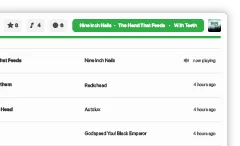
Just press play and let Muxie take care of everything. There's nothing else you need to do, Muxie will track your listening automatically in the background. Once you reach halfway through a song, it'll queue it up and get it ready to send to your Last.fm account. Keep your listening history perfectly up to date without any extra effort. Just enjoy your music, Muxie makes sure every track counts.


Apple's Music app and Spotify for Desktop are supported
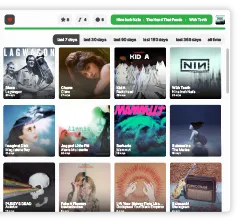
Stay on top of your listening with stats info. See how many times the current song, artist, and album have been played, and dive into your top artists, albums, and tracks across different time frames.
Want even more detail? With a single click, Muxie takes you straight to your Last.fm profile for a deeper look.


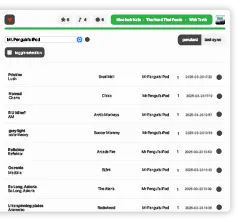
Still rocking an iPod Classic? Or maybe a Rockbox-powered player[1]? Muxie has you covered. When you connect your device to your Mac, Muxie can scan it to find the songs you’ve listened to and let you choose which ones get scrobbled to Last.fm, whether they come from Apple’s original iPod software or a handy .scrobbler.log[2] file generated by your player.
Keep all your plays counted, even the ones from your favorite old-school (or gloriously hacked) device[3][4][5].

[1] About Rockbox Last.fm plugin.
[2] Info about the .scrobbler.log file.
[3] Check for supported models.
[4] Check for known issues.
[5] Check for how Muxie works with .scrobbler.log.
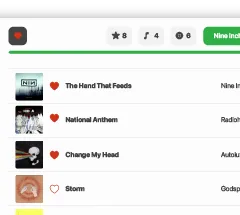
Show your favorite tracks some love with just one click. Muxie makes it easy to mark the songs you love and instantly update your Last.fm profile, no extra steps, just pure appreciation for the music you can't get enough of.

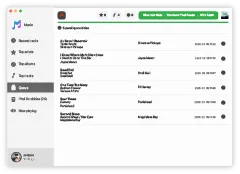
No internet? No problem. Muxie doesn't panic when your connection disappears. Instead, it calmly lines up every scrobble and keeps them safe in an offline queue.
So whether your Wi-Fi drops, or you're somewhere the internet forgot to reach, your listening history keeps building behind the scenes.
Once you're back online, Muxie sends everything to Last.fm automatically, like nothing ever happened. Smooth, effortless, and quietly reliable. Just the way scrobbling should be.

Right now, our app officially supports the iPod classic (6th gen) and the iPod video (5th gen) running original Apple's software and any device capable of generating a .scrobbler.log file like Rockbox-powered devices.
But if you've got another model, we're happy to give it a shot! We'll just need a bit of info and some files from your iPod/device to try it out.
No promises, some models might be tricky, but we're excited to see what's possible!

When you connect your account, Muxie uses the official authentication from Last.fm. That means Muxie never sees or stores your username or password: they remain known only to you and Last.fm.
Muxie also keeps things simple: it doesn't collect analytics, track you across apps, or gather extra data in the background. The only information Muxie sends anywhere is the listening data required to scrobble tracks to Last.fm. Nothing more.
Even features like iPod scrobbling are careful by design. Muxie only scans the specific files needed to read your play history, nothing else on your device.
Your listening data isn't sold. It isn't shared. It isn't disclosed to anyone. Ever.
In short: your music goes only where it needs to, directly to Last.fm. Muxie is just the quiet messenger making sure every play gets counted.
Read our Privacy Policy
This app is free to use, but if you find it helpful, consider making a donation. Your support not only helps keep the project alive but also shows your appreciation for the time and effort put into developing and improving it.



Every contribution, no matter the size, means a lot. Thank you for your support! 🚀
 Let's try it!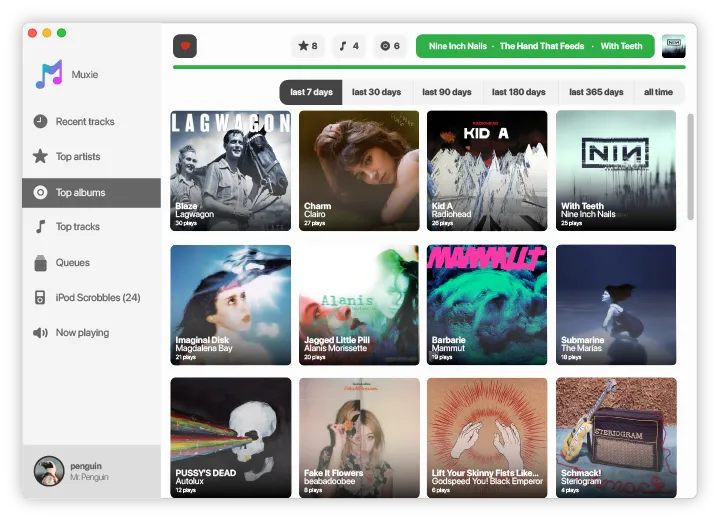
 Apple Silicon